
Sendloop revenue tracking Revenue next to every open and click
Sendloop attributes revenue to the campaigns, journeys and lists that brought it in, and shows it on the dashboard beside your opens and clicks. You see what a send earned, not only who opened it.
Campaign reports
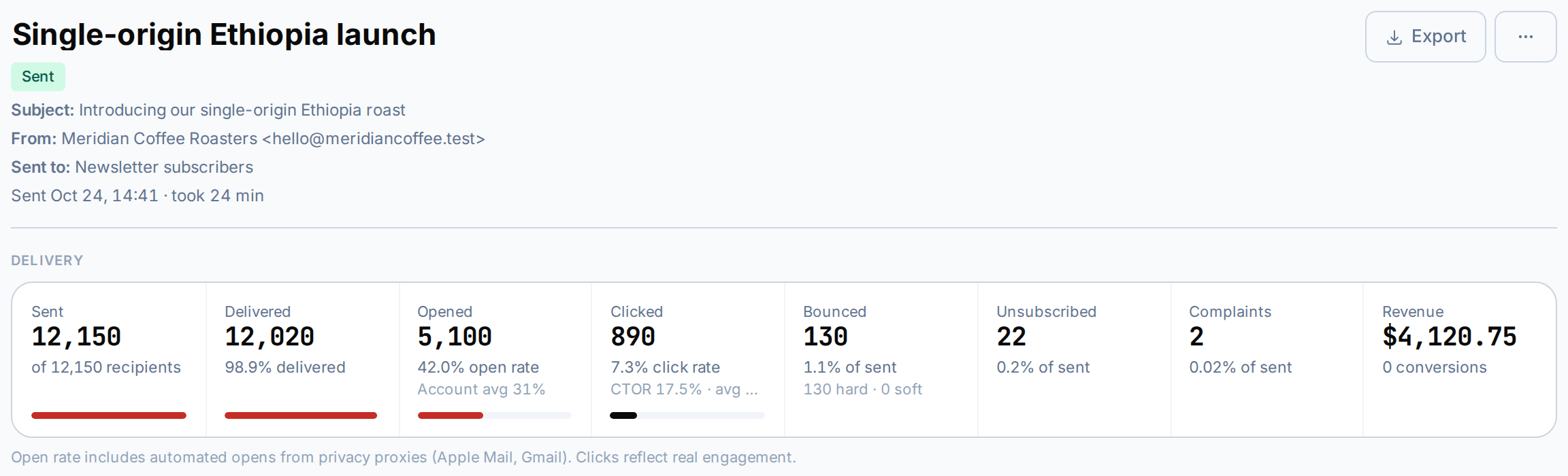
Every campaign report ends in revenue
The campaign funnel runs from sent to delivered, opened and clicked, then to conversions and revenue. Engagement over time, the best weekday, top inbox providers and the most-clicked links sit on the same report.
- Conversions and revenue in the funnel
- Most-clicked links
- Per-recipient activity tabs
Dashboard
Revenue on the first screen you see
The dashboard puts revenue in the same row as contacts, emails sent and open rate, each with its change over the last 30 days. A 14-day chart compares sent and opened emails.
- 30-day change on every figure
- Recent and upcoming sends
- 14-day sent vs opened chart

Journeys and lists
Know which automation pays for itself
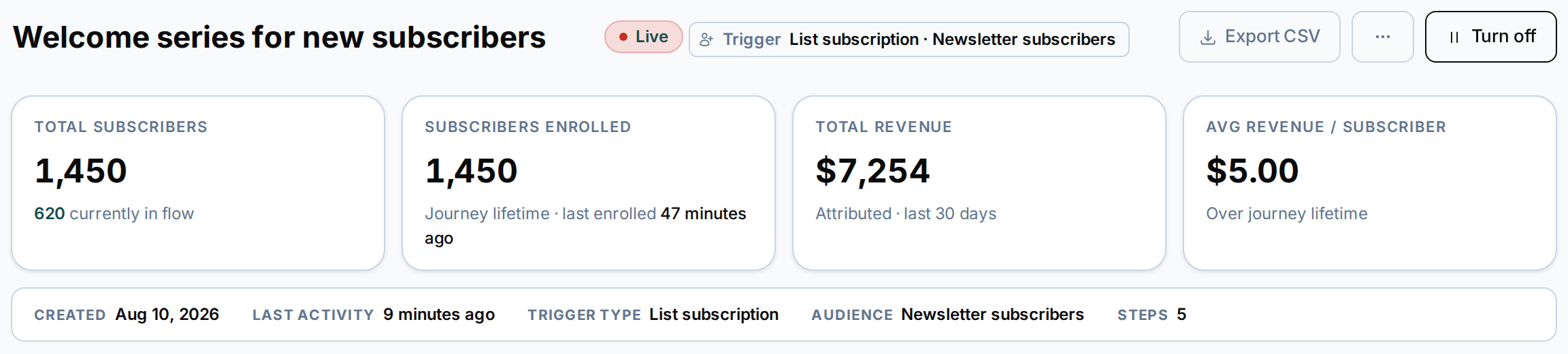
Each journey report shows the revenue the journey brought in. Revenue also appears in list figures, and a revenue threshold can start a journey of its own.
- Revenue in every journey report
- Revenue in list figures
- Revenue threshold as a journey trigger
Tracking
Conversions from your shop or app
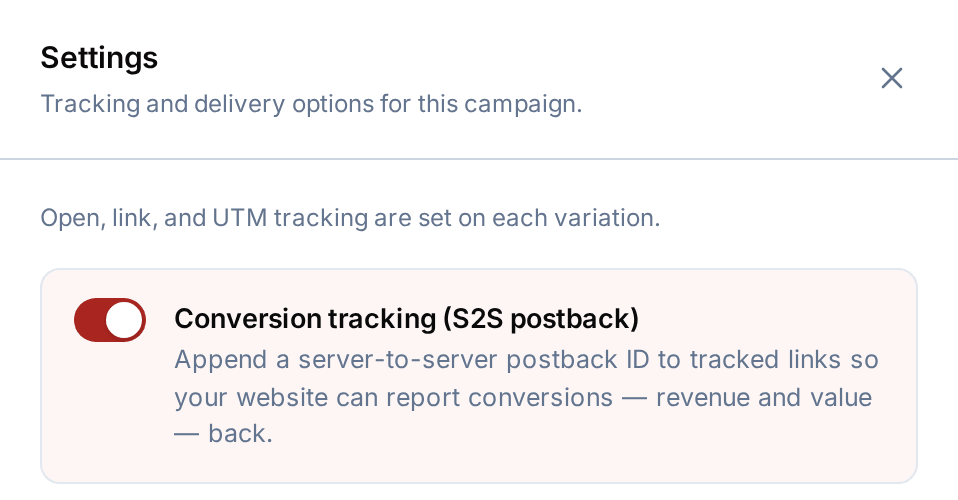
Turn on open and link tracking and UTM tags for each version of a campaign. Report a sale with a server-to-server conversion postback, or send a conversion event from the website tracking snippet. Conversions then show in your reports and can start journeys.
- Server-to-server conversion postback
- Website tracker with conversion events
- Keitaro click and conversion tracking for SMS links
How does Sendloop know about a sale?
Your shop or app reports the conversion: either with a server-to-server postback, or with a conversion event from the website tracking snippet.
Where does revenue show up?
On the dashboard, in every campaign report, in each journey’s report and in list figures, next to opens and clicks.
Can a journey start when a customer spends a certain amount?
Yes. A revenue threshold is one of the 16 journey triggers, and conversions can start a journey too.
Do open rates include privacy-proxy opens?
Yes, and the reports say so on screen. That is one reason to watch clicks, conversions and revenue as well as opens.
Is revenue tracking on every plan?
Yes. Revenue and delivery reports are part of every plan, including Free.
More features
The rest of the account
Your list can grow. Your bill doesn’t have to.
The Free plan includes 100 emails a month. Upgrade when your volume grows.