
Sendloop journeys and marketing automation Automations that mix email and SMS
Build journeys on a visual canvas. Start them from 16 triggers, including website events and revenue thresholds, combine 16 actions, and see what each journey brought in.
Builder
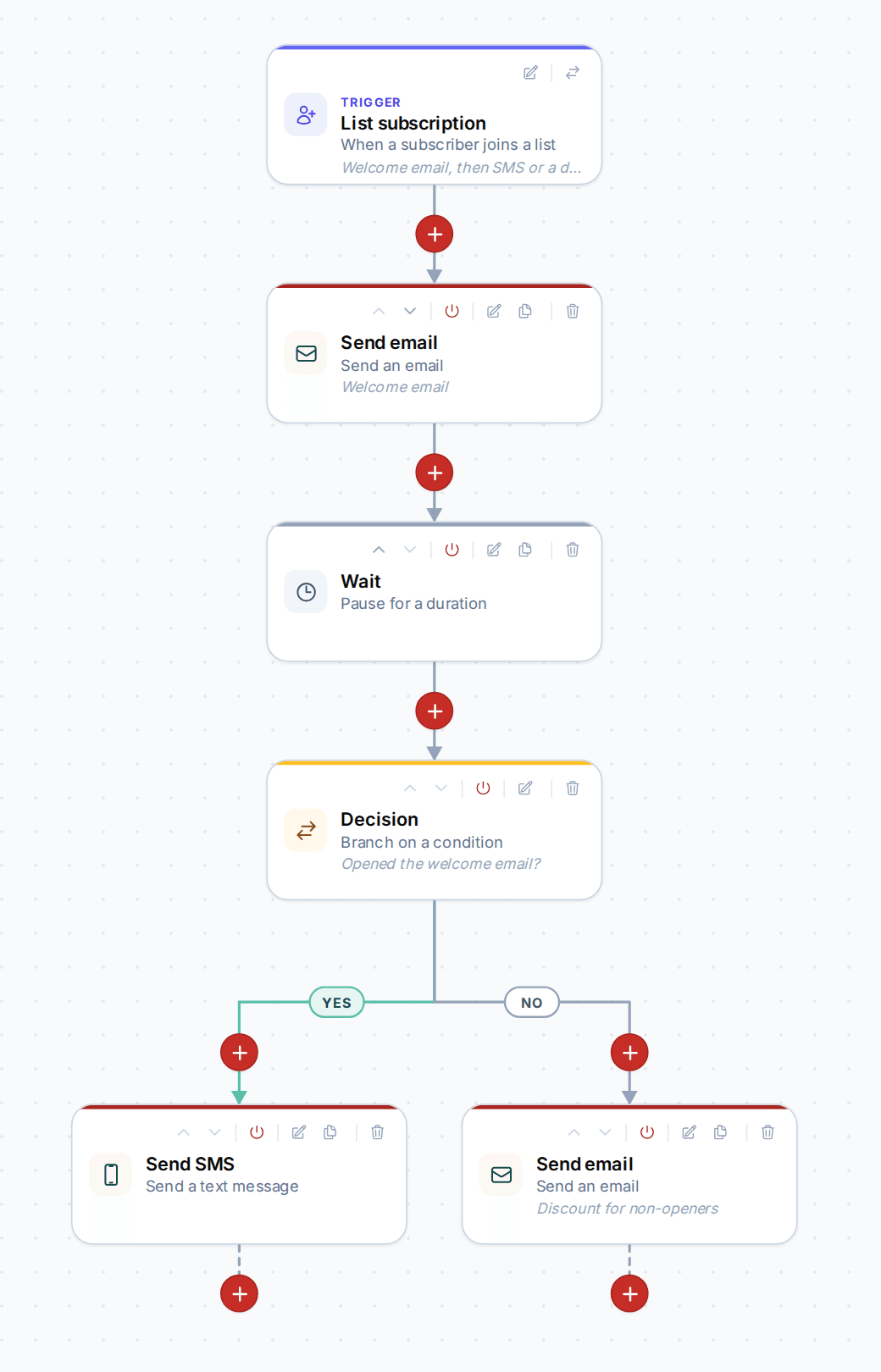
Draw the journey, then switch it on
Lay out steps on a canvas you can pan and zoom. Clone and move steps, and turn a single step off without taking the journey down. Save stays blocked while a step is incomplete, so a half-built journey never runs.
- Yes/no Decision steps built from segment rules
- Wait steps with allowed days and hours
- Start another journey, or exit this one, others or all
Triggers
Start from what a contact actually did
16 triggers cover list and tag changes, email opens, clicks and conversions, field changes, website events from the tracking snippet, a revenue threshold and another journey finishing.
- Four website events: page view, identify, custom event, conversion
- A revenue threshold for your best customers
- Scheduled pulls and manual starts
Actions
Email, text, wait, decide, call your app
16 actions send email or SMS, call a webhook, wait, change the contact, and steer the flow. Webhook steps can be signed with HMAC so your app can trust them.
- Add or remove tags and update fields as people move through
- Subscribe, unsubscribe or delete a contact
- Webhook with optional HMAC signing
Journey report
See who went through and what it earned
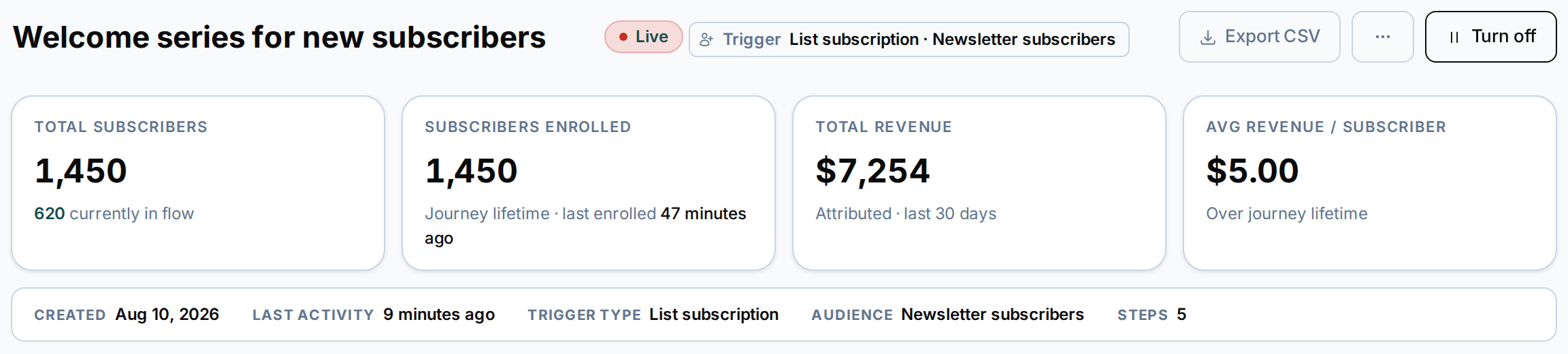
Each journey reports how many people enrolled, the revenue it brought in and its performance over time, with breakdowns by email and by inbox provider.
- Revenue for every journey
- Results for each email in the journey
- Inbox-provider breakdown
Autoresponders
Simple sequences for each list
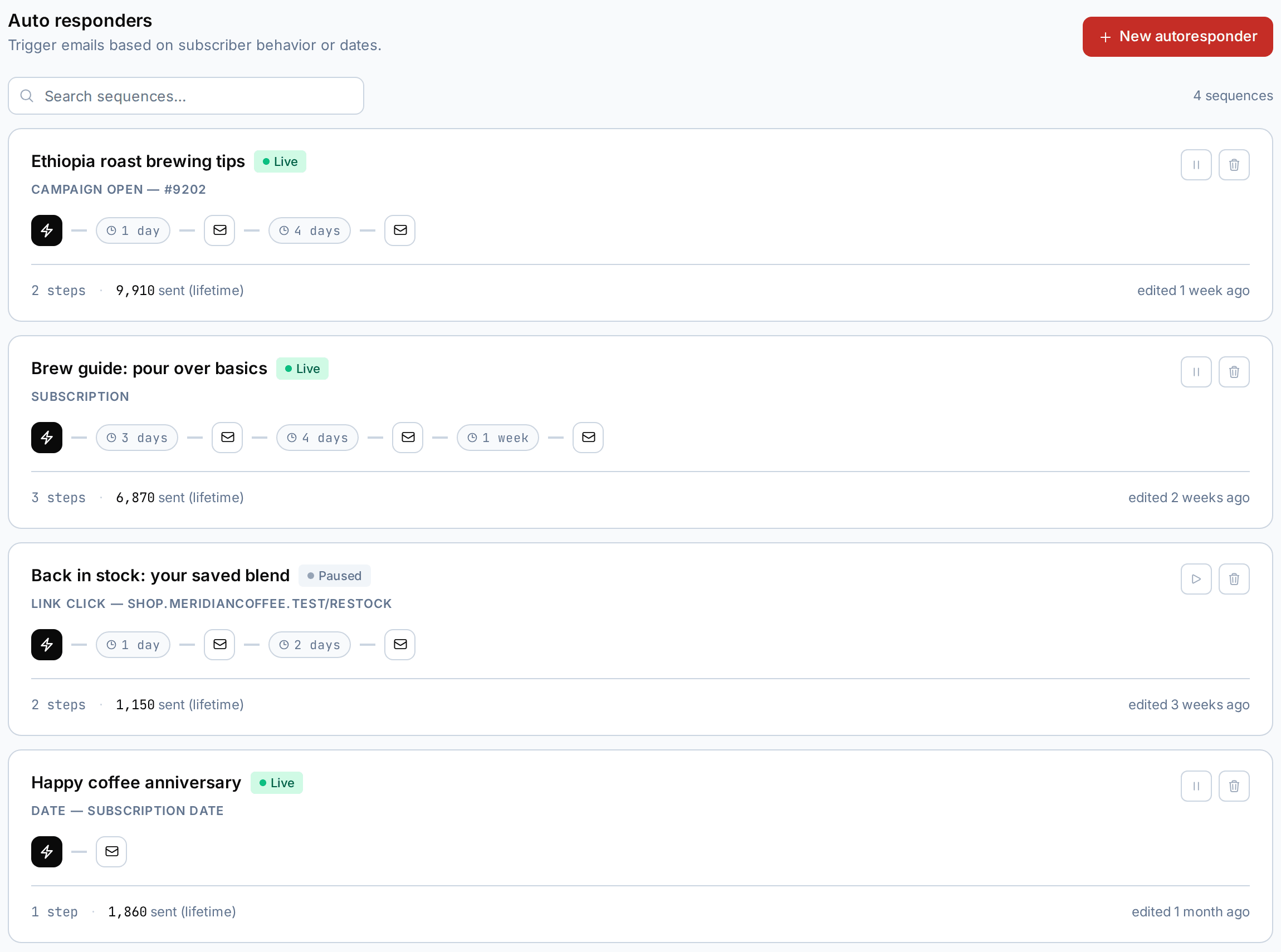
When a timed run of emails is all you need, set up an autoresponder on the list. It can start on subscription, a link click, a campaign open, a conversion, or a date field, once or every month. Delays run from seconds to months.
- Timed email sequences per list
- Date-field triggers, once or monthly
- Delays from seconds to months
What can start a journey?
Any of 16 triggers: a manual start, a list subscribe or unsubscribe, a tag added or removed, an email open, click or conversion, a custom field change, a scheduled pull, four website events (page view, identify, custom event, conversion), a revenue threshold, or another journey completing.
Can a journey send text messages?
Yes. A Send SMS step sits in the same journey as your emails, waits and decisions. SMS is sent through Infobip or Xeebi.
Can I stop journey emails going out at night or at weekends?
Yes. A Wait step can be limited to the days and hours you allow, so the next step only runs inside them.
Can a journey talk to my own systems?
Yes. A Webhook step calls your URL, and can sign the request with HMAC so you can check it came from Sendloop. The website event tracker sends page views and events the other way, into journeys and segments.
What happens if someone in a journey is also in a campaign audience?
Each campaign lets you include or leave out people who are currently in a journey.
What is the difference between a journey and an autoresponder?
An autoresponder is a timed sequence of emails for one list. A journey can branch on what a contact did, mix email, SMS and webhooks, and start from any of its 16 triggers.
More features
The rest of the account
Your list can grow. Your bill doesn’t have to.
The Free plan includes 100 emails a month. Upgrade when your volume grows.