
Sendloop SMS marketing Texts with the cost shown before you send
Send SMS campaigns from the same account as your email. Sendloop counts the parts as you type, removes numbers that would fail, and shows the estimated cost before anything goes out.
Composer
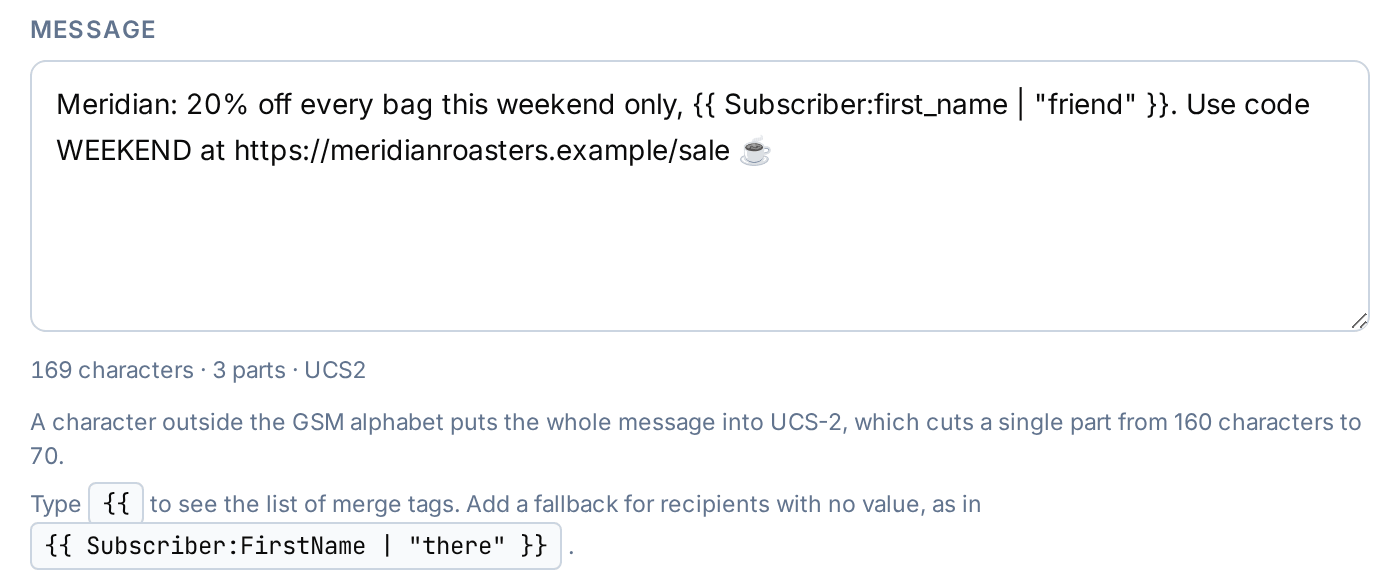
Know the length of a text while you write it
The composer counts characters, message parts and encoding as you type. If a character switches the message from GSM-7 to UCS-2, which fits fewer characters in each part, you see a warning.
- Merge tags for names and other fields
- Your own sender ID
- Tracked short links with an expiry and UTM pass-through
Cost check
See the bill before it is a bill
Before an SMS campaign can go out, Sendloop removes invalid, duplicate and suppressed numbers and shows how many people will receive it, the total parts, the estimated cost and when sending will finish. The send button stays disabled until you accept the estimate.
- Send speed set per campaign
- Quiet hours set per campaign
- Opt-out footer on by default
Report and replies
What happened to every text
The SMS report shows the delivery funnel, why messages were not delivered, clicks, replies, opt-outs and cost. Replies land in an inbox, matched to the campaign or journey that last texted that number.
- CSV export of every event
- STOP-style replies suppress the number at once
- Keitaro integration for click and conversion tracking

With email
SMS and email in the same journeys and segments
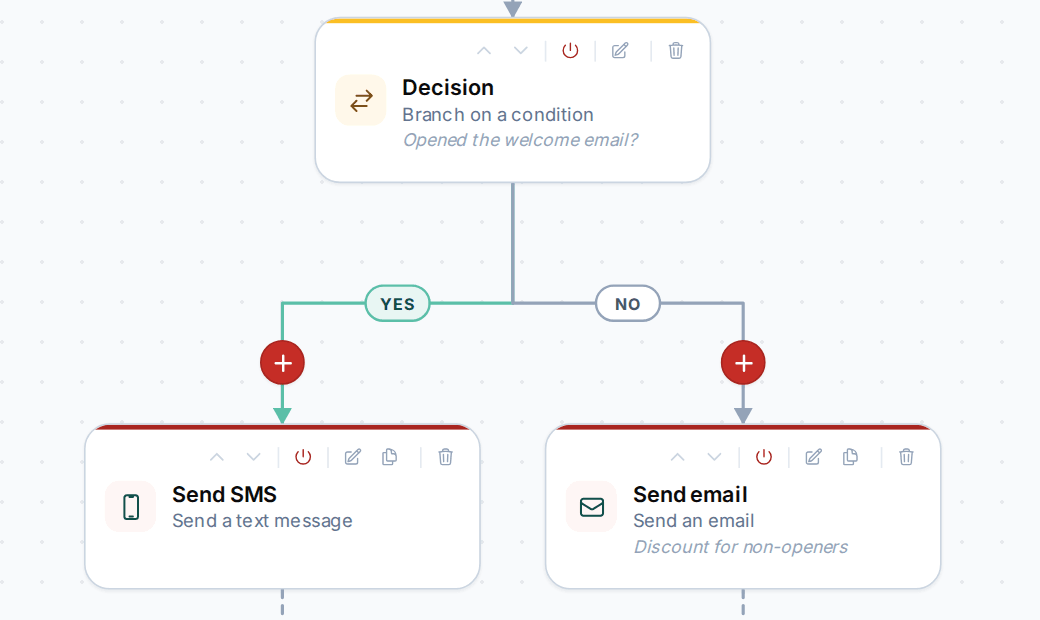
Add a Send SMS step to any journey, next to email, waits and decisions. Segments can use SMS activity, such as who clicked a text link, alongside email activity and contact fields.
- SMS activity on the contact timeline
- Suppress phone numbers one by one or by prefix
- Send SMS steps next to email in any journey
Which SMS gateways does Sendloop use?
Infobip and Xeebi. Other gateways are not available.
Do text messages count toward my email allowance?
No. Your plan’s allowance counts emails only. SMS messages do not count toward it.
How is the cost estimate worked out?
From the number of message parts the campaign will send, after invalid, duplicate and suppressed numbers are removed. The send button stays disabled until you accept the estimate.
How are opt-outs handled?
The opt-out footer is on by default. When someone replies with a STOP-style keyword, the number is suppressed straight away.
Can I reply to texts from Sendloop?
You can read replies in the replies inbox, matched to the campaign or journey that last texted the number. Replying from the app is not available.
Can one SMS campaign go to several lists?
No. An SMS campaign goes to one list, which you can narrow with a segment or rules. To reach people on several lists, use a journey with a Send SMS step.
More features
The rest of the account
Your list can grow. Your bill doesn’t have to.
The Free plan includes 100 emails a month. Upgrade when your volume grows.